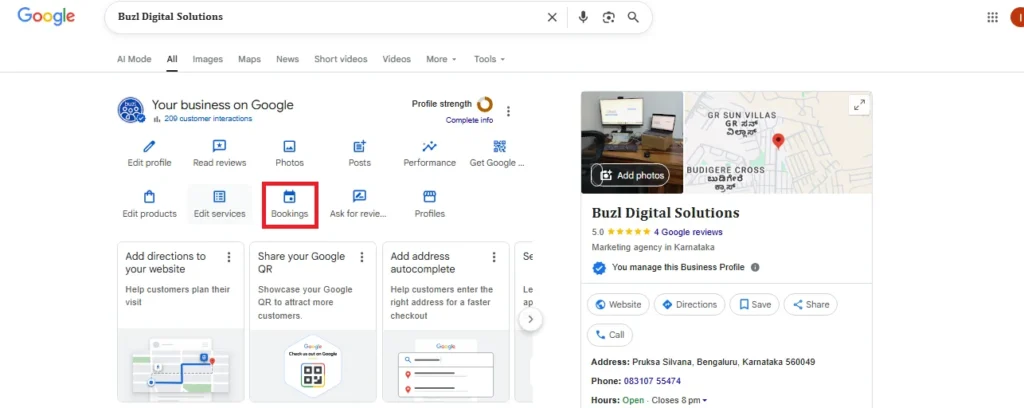
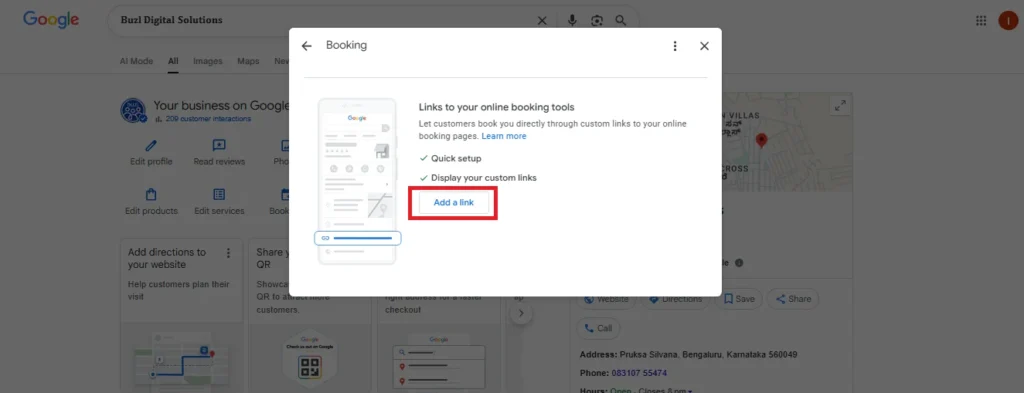
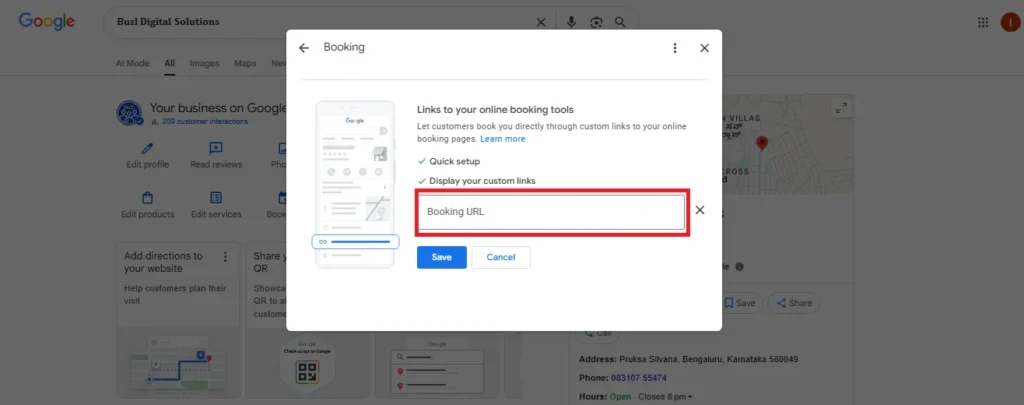
The Booking Tools integration in Google Business Profile is designed to make it easier for customers to book appointments or services directly through Google Search and Google Maps. While this is similar in concept to services like Zomato or Swiggy in the sense that they allow customers to directly book or order services, the key difference is that the Google Booking Tool focuses on appointments and services rather than restaurant or food delivery orders.
This section allows you to link your online ordering platforms (such as Zomato, Swiggy, etc.) directly to your Google Business Profile. Once linked, your customers can easily place orders or book services directly through your Google Business Profile.
By linking your online booking tool to Google Business Profile, you can enhance customer convenience and improve conversion rates. The “Booking” feature enables users to book directly through Google, making your business more accessible and streamlined for potential customers.
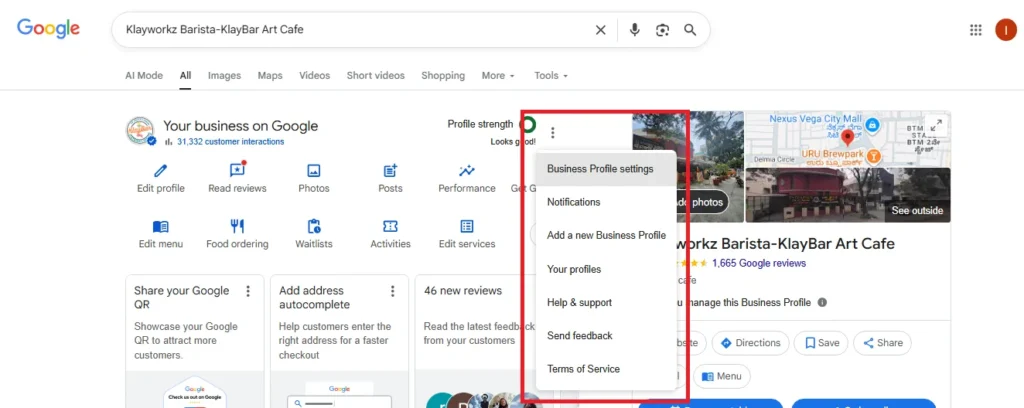
What Options Are Available Under the Ellipsis in the Top-Right Corner?
The ellipsis menu (represented by three dots “…”) in Google Business Profile provides quick access to essential tools and settings that help business owners efficiently manage their online presence. When you click the ellipsis in the top-right corner of your profile, you’ll find several useful options including Business Profile Settings, Notifications, Add a New Business Profile, Your Profiles, Help & Support, Send Feedback, and Terms of Service.
Key Features Available Under Business Profile Settings
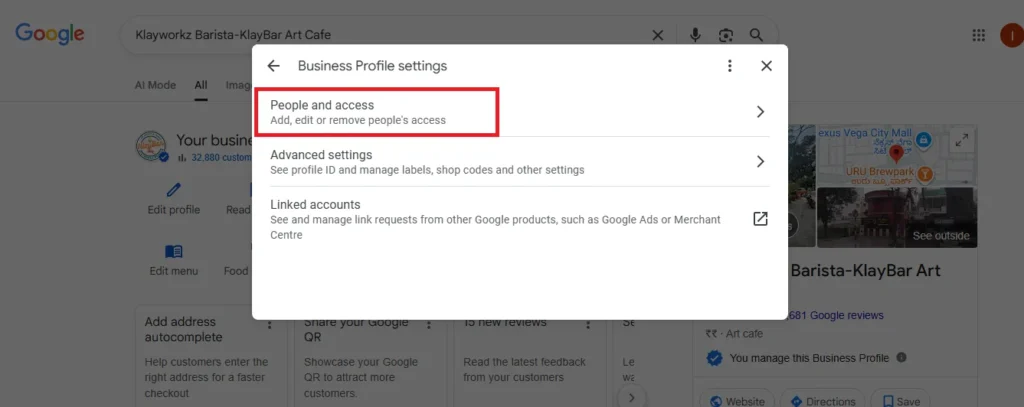
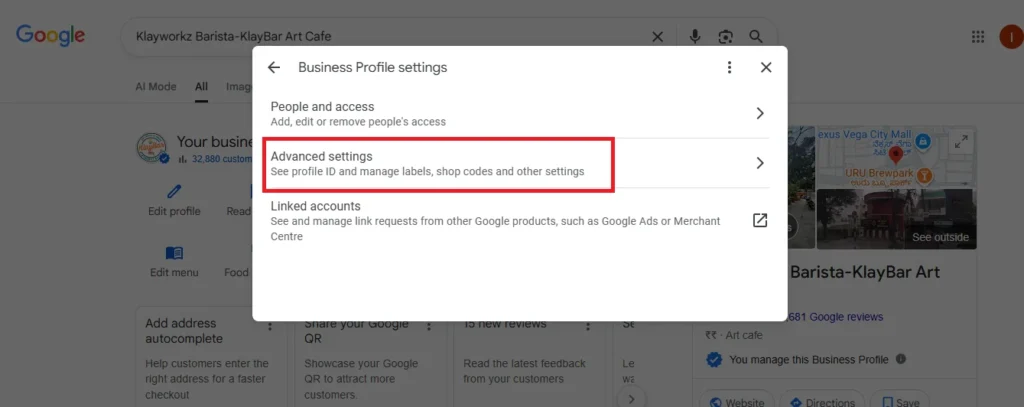
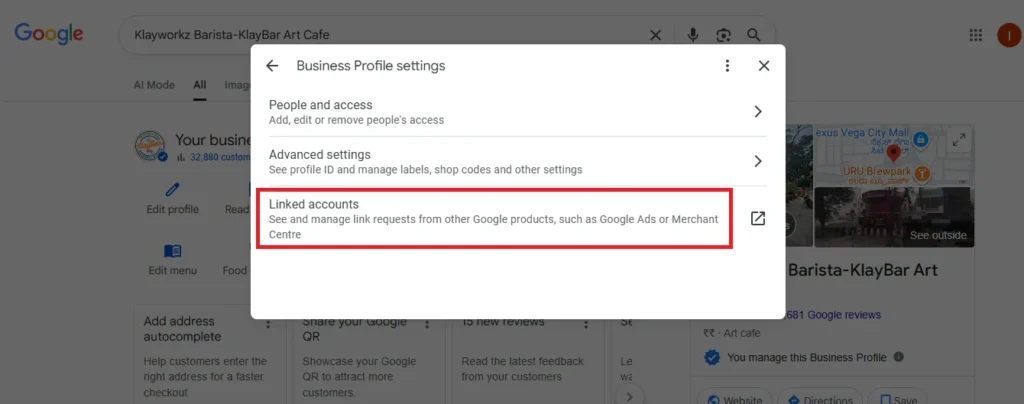
The Business Profile Settings menu provides access to essential options that help you manage your Google Business Profile effectively. The settings allow you to control various aspects of your profile, such as user access, linked accounts, and advanced settings. Here’s a detailed breakdown of the options available:
1. People and Access
Purpose:
This section allows you to manage user roles and permissions for those who access and manage your Google Business Profile, providing a secure and organized digital marketing agency environment.
Features:
Add or Remove Users: Add new users to help manage your profile, making it easier for your digital marketing team to optimize your Google Business Profile.
Manage Permissions: Adjust user access levels based on your team’s role, ensuring only authorized personnel handle SEO services and sensitive information.
Why This Matters:
Managing who can edit your business profile is essential for maintaining consistency across SEO tools and improving your local SEO efforts. Properly assigning roles to your digital marketing consultant or team members ensures that your Google Business Profile remains up-to-date and aligned with your digital marketing strategy.
2. Advanced Settings
Purpose:
In the Advanced Settings section, you’ll have access to additional customization options for managing your profile’s visibility and integration with other Google services.
Features:
Google Business Profile ID: A unique identifier for your profile, useful when linking your business to other digital marketing solutions or SEO optimization tools.
Phone Number Visibility: Choose whether to display your business phone number in search results, helping improve the user experience and engagement in local SEO.
Location Extension Ads: Enable location extension ads in Google Ads, helping your business appear in more relevant search engine marketing results.
Why This Matters:
Using the Advanced Settings allows you to integrate your Google Business Profile with tools like Google Ads, boosting your visibility and performance through paid search ads. This feature enhances SEO digital marketing and supports local SEO in digital marketing by ensuring accurate location targeting.
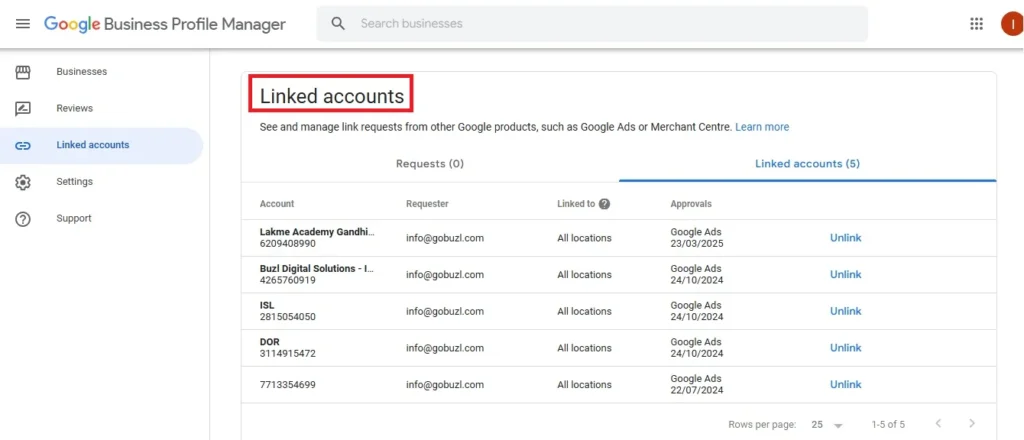
3. Linked Accounts
Purpose:
This section is for managing links between your Google Business Profile and other Google services, allowing you to leverage SEO marketing tools and synchronize your profile across platforms.
Features:
Link with Google Ads or Merchant Center: Connect your business profile with other Google services to streamline your marketing efforts. For example, linking to Google Ads lets you run targeted ads directly related to your profile.
Manage account connections: You can manage and see requests to link your profile with other services, making it easier to sync your Google Business Profile with your broader digital marketing strategy.
This feature is especially beneficial for businesses running digital marketing campaigns or those utilizing Google’s merchant tools.
Why This Matters:
Linking accounts allows for seamless digital marketing integration, especially for digital marketing agencies that use SEO tools and ecommerce digital marketing solutions. It strengthens your profile’s presence in Google Search and Google Ads, ultimately helping your business gain more visibility and traffic.
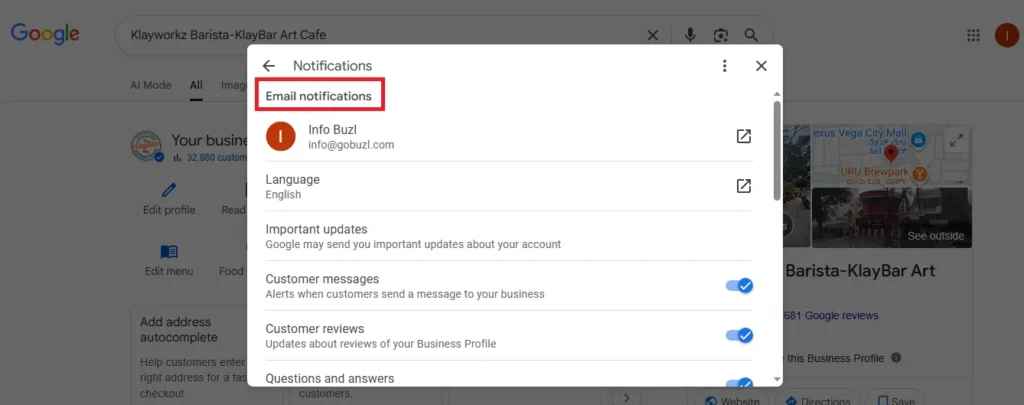
Notifications
In the Notifications section, you can set up and manage email notifications related to various actions on your Google Business Profile, such as receiving customer messages, reviews, and other important updates.
Features:
Important Updates: Google will notify you of significant changes or updates to your business profile.
Customer Messages: Alerts you when customers send a message directly to your Google Business Profile, ensuring you can respond promptly and maintain strong customer engagement.
Customer Reviews: Get notifications when customers post new reviews about your business, allowing you to respond and engage.
Questions and Answers: Receive alerts when questions are asked by customers in the Q&A section, so you can address their queries quickly.
Why This Matters:
Email notifications ensure that your digital marketing strategy is proactive. By being notified when a customer messages or leaves a review, you can respond quickly and maintain a positive reputation.
Real-time alerts on customer messages and reviews improve SEO and SEM in digital marketing by allowing you to engage with customers and build a positive online presence.
These notifications help in managing your online reputation and improving the customer experience, which directly impacts your local SEO and search engine marketing.
Up next:
Adding New Business Profile in Google Business Profile